

You just got back from a trip. You've now got 362 photos to deal with. You want to share the good ones — not all of them, just the ones worth seeing — and you want to do it today, not next weekend when you've finally found the time to go through everything (and when what you’ll actually do is just procrastinate it off to the next weekend, then the next, then the next…).
What tools can you use to create and share your online photo album, today? Let’s look at two options: Google Photos vs. Sunslider Albums.
How sharing photos works in Google Photos
Creating a shared album in Google Photos is simple enough: open the app, tap "Create shared album," give it a title, and start adding photos. Then share a link.
The hard part is the middle step: selecting and adding photos.
Google Photos will filter out the obviously broken shots — blurry ones, heavily overexposed ones, near-duplicates. But that's where the help ends. Deciding which photos actually go in the album — the 30 or 50 worth sharing out of the 300+ you took — is entirely on you. You scroll through your library, tap each one you want, think about it, maybe add it to the album. For a weekend trip, producing a finished 50-photo album could easily be an hour or two of work.
There's no "pick the best photos from my trip" button. You do it yourself.
Then there's the question of what happens to your photos once they're in Google's system — but more on that in a moment.
How sharing photos works in Sunslider Albums
Albums is built for exactly this situation. The entire product is designed around one scenario: you have a lot of photos, you want to share the best shots, and you want the photo album done fast.
The flow:
Upload all your photos — up to 200 on a free album, up to 400 on the paid tiers
Choose your target album size: 30, 50, or 100 photos
Hit "Curate" — Albums selects the best shots automatically
Review the selection, easily swap photos in and out if you want to change a few, add captions if you feel like it
Publish and send the link to the people you want to share with
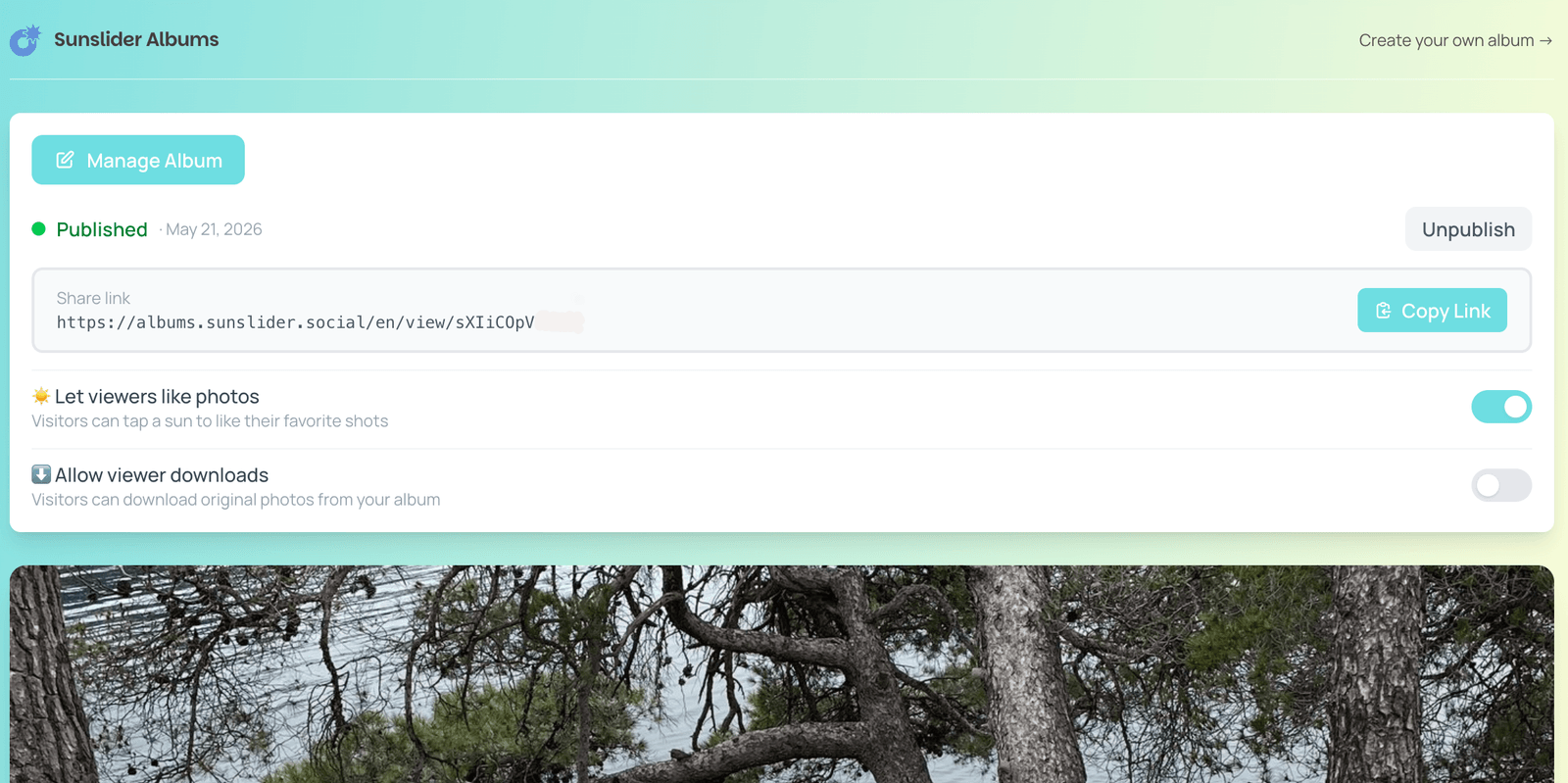
The whole thing takes about five minutes. The people who receive your link don't need an account, don't need to download anything. They just open the URL and the album is there.
And for even simpler photo sharing, there’s an optional feature that also allows viewers to download individual photos at original quality. That makes Albums a practical alternative to the group chat photo flood: instead of sending 50 full-resolution photos to a WhatsApp group — eating everyone's storage whether they want the photos or not — you share a link. Your friends and family can browse the album and download the specific shots they actually want.
The part Google doesn't advertise
Using Google Photos means putting your photos into Google's data ecosystem. That comes with real implications.
Google Photos collects your photos, location data, device information, and facial recognition data. It uses AI to scan your library — recognizing faces, grouping them, building a model of who appears in your photos and how often. The "Ask Photos" feature goes further: it actively studies your albums, including their titles, date ranges, and face group information, to answer your search queries.
This isn't hidden — it's in Google's own documentation. But most people sharing a holiday album with friends haven't thought about the fact that Google is building a facial profile of everyone who appears in those photos, whether those people use Google products or not.
Back in 2022, Google Photos was ordered to pay $100M in a class-action lawsuit in Illinois specifically over biometric data collection — the kind that happens automatically when your photos are scanned for face grouping. The feature hasn't gone away; it's gotten more sophisticated.
Now, this isn’t necessarily unique to Google (even if their specific list of lawsuits related to privacy violations is getting pretty long); really, it’s just what you’re signing up for by using a free product backed by an advertising business. The data your photos generate — who you are, who you spend time with, where you go — has commercial value. That's the tradeoff.
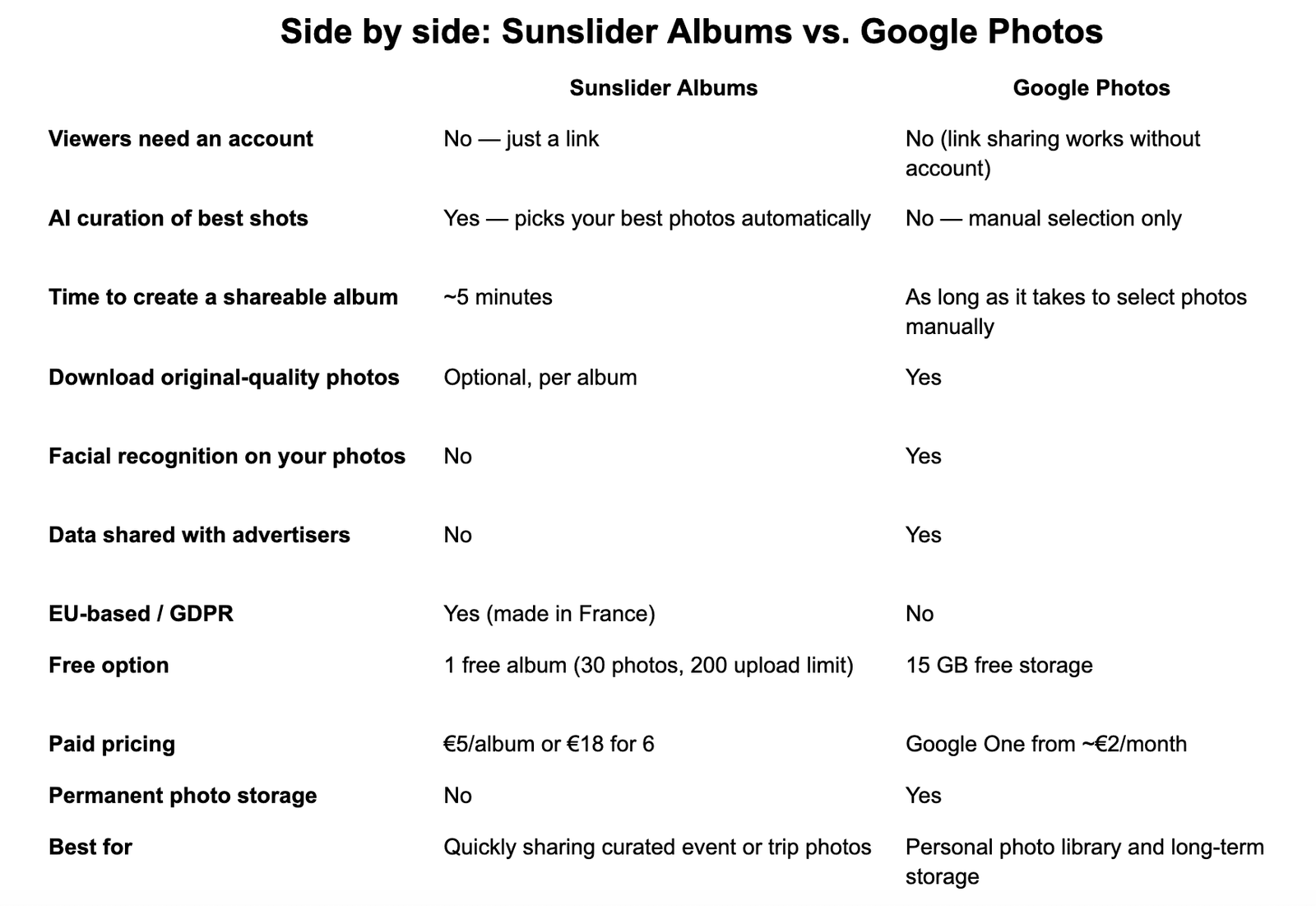
Albums doesn't work like that. There’s a free tier so you can test it out, but after that you can buy new albums for as low as $3 each. In return, Albums doesn’t run facial recognition on your photos. There’s no advertising or invasive data tracking. There aren’t any profiles being built of the people in your pictures. It's an EU-based product following GDPR requirements and with privacy as a default rather than a setting you have to find and turn off.
The verdict
Google Photos is an excellent personal photo library. If you’re in the Android ecosystem, want to back up everything, search your photos by face or place, and keep years of photos stocked in one place, it's hard to beat.
But when you just want to share a curated album of your best shots from a trip, Google Photos makes you do all the work yourself. And it does it while running your photos — and your friends' faces — through an AI system that serves its advertising business.
Albums does one thing: takes a batch of photos, picks the best ones, and gives you a link to send in two minutes. No manual triage. No data harvesting. No facial recognition of the people you care about. You’re the only customer, and always will be.
Different tools for different jobs. The question is which job you need to get done right now.
Sunslider Albums is free to try — one 30-photo album, curating up to 200 photos in 5 minutes. Try it at albums.sunslider.social