

"How do I easily send photos to people?" is a more annoying question than it looks, because every obvious answer has a catch that only shows up after you've committed to it — an expiry date, a compression algorithm, a storage limit, or a recipient who can't open the thing.
Here's a breakdown of some of the most common methods (updated for 2026).
WeTransfer
The classic answer, and the one that's changed the most.
Since the Bending Spoons acquisition, the free tier has tightened considerably. You can now send up to 10 transfers, or 3GB total, in any 30-day rolling window. Files remain available for 3 days — after that, the link expires and your recipients can no longer download.
Good for: a one-off send where everyone will download promptly.
Watch out for: the 3-day window. If your recipient is on holiday, travelling, or simply not paying attention, the photos are gone and you're doing it again. The monthly quota also arrives faster than you'd expect — 300 photos at 5MB each is already 1.5GB, or half your monthly allowance in a single send.
WhatsApp (or any messaging app)
The most convenient option and the worst for quality.
WhatsApp compresses photos to save bandwidth and server storage, reducing most images to around 300KB regardless of original size. Images get downsized to a maximum of about 1600×1200 for portrait and 2048px wide for landscape, meaning a 12-megapixel original is reduced to roughly 1.9 megapixels. There's no setting to turn this off for normal photo sends.
There is a workaround: sending photos as a document instead of through the gallery bypasses the compression entirely. But then the recipient gets a list of file attachments rather than viewable photos, and doing that for 300 images is its own kind of misery. The HD option helps, but even in HD mode WhatsApp may still recompress the image.
Good for: three or four photos, right now, quality not critical.
Watch out for: everything else. Also worth knowing that compression stacks every time a photo is forwarded — so if your photo gets passed along two family group chats, it's a mess.
Google Drive, iCloud, or another cloud folder
Reliable, no expiry, no compression. The catch is storage and access.
Google Drive gives you 15GB free, but that's shared across Drive, Gmail, and Google Photos. iCloud's free tier sits at 5GB, which disappears fast — one iPhone backup alone uses 3–4GB.
Good for: people who are already paying for storage and share with the same group regularly.
Watch out for: the recipient experience. A Drive link to a folder of 300 files isn't an album — it's a file browser. Your recipients scroll through a grid of filenames, and depending on their account and the sharing settings, some of them will hit a permission wall and message you about it.
A dedicated photo album link
This is the category built for exactly this problem: you upload the photos, you get one link, the recipient opens it in a browser and sees an actual album.
The main differences between options in this space come down to two things: whether the recipient needs an account and whether anything helps you choose which photos to include.
Most don't help with the second part. You still select all 300 yourself.
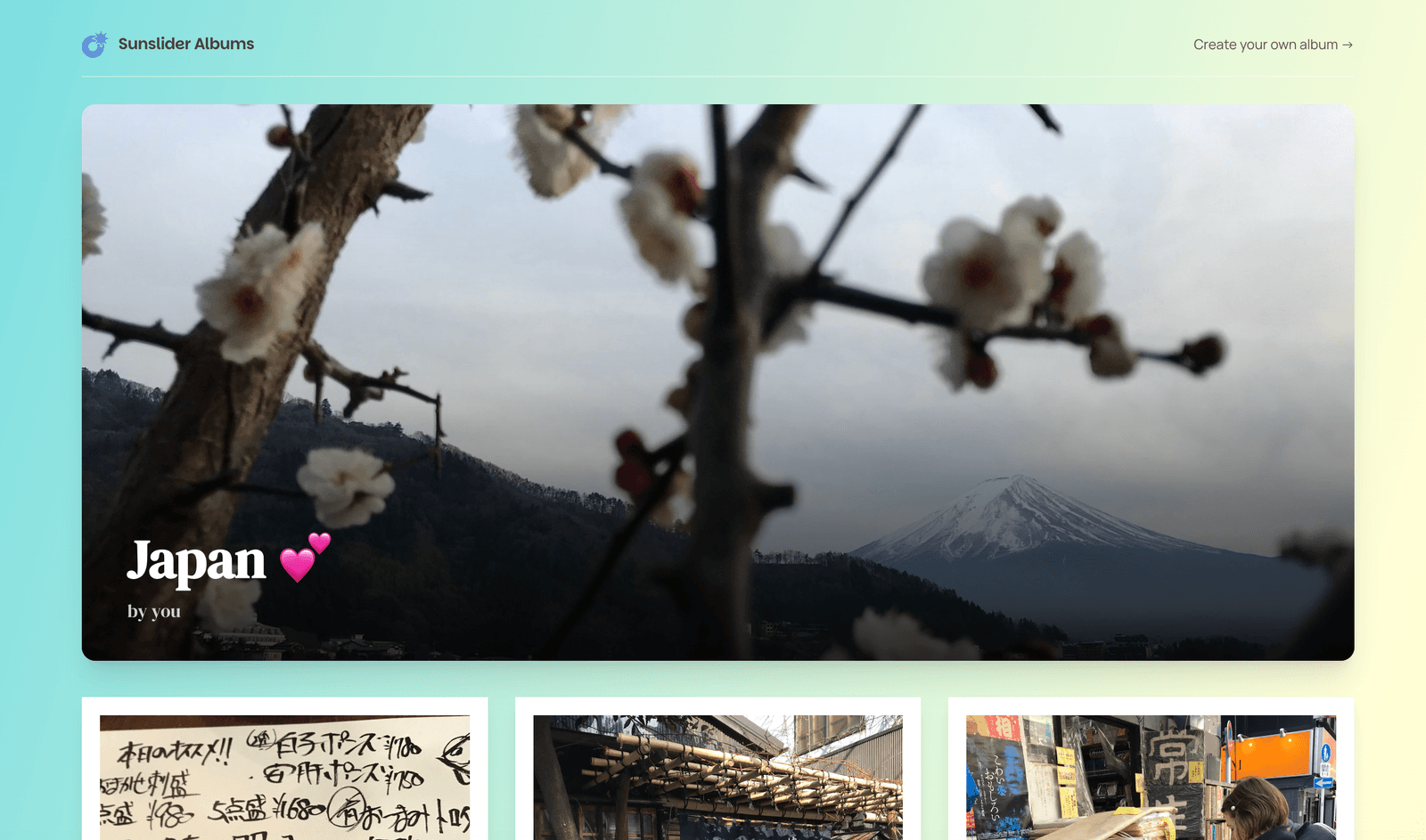
Sunslider Albums was built to take away the pain of sorting through hundreds of photos. You upload the whole batch, choose how big you want the finished album to be, and the curation runs automatically to remove duplicates, set aside the blurry frames, and choose a representative final selection. You get a finished album in about five minutes instead of an evening.
The link works in any browser with no account and no app on the recipient's end, the album doesn't expire after three days, and the paid packs let you allow viewers to download individual photos at full original quality.
So which one should you use? If you want to…
Send 3 photos immediately, quality doesn't matter, use WhatsApp
Send a one-off batch to someone who'll download today, use WeTransfer
Share raw files with someone who needs the originals, use a Cloud folder
Send a viewable album that lasts, without sorting it yourself, use Sunslider Albums
The bottom line
If you're sending a handful of photos, the messaging app is fine. If you're sending a lot of photos — a trip, an event, a whole weekend — you're going to want a link that produces something people can actually look at, that doesn't vanish in 72 hours, and that doesn't require you to spend an hour picking the good ones first.
Your first Sunslider Album is free, forever. No card, no subscription.